
AI Workflow Automation: Automate Your Daily Tasks with Claude

Every day, knowledge workers spend hours on repetitive tasks: summarizing emails, researching topics, generating reports, and moving data between systems. AI can handle most of this—not perfectly, but well enough to save you hours each week.
This guide shows you how to build AI-powered automation workflows that run in the background, handling tedious work while you focus on what matters.
We'll cover practical automations you can set up today using tools like Zapier, Make, OpenClaw, and the Claude API.
Why AI Automation Matters
 AI automation handles the tedious work so you can focus on what matters
The traditional approach to automation is rule-based: if X happens, do Y. This works for simple tasks but breaks down when you need judgment or natural language understanding.
Traditional automation:
- If email contains "invoice" → move to folder
- If form submitted → send confirmation email
- Rigid, breaks easily, requires exact matches
AI-powered automation:
- Understand email intent → categorize, summarize, draft reply
- Extract information from any format → structured data
- Handle edge cases intelligently → escalate when uncertain
The key insight: AI adds the "understanding" layer that traditional automation lacks. It can read, summarize, categorize, and generate—not just move data around.
Automation Architecture Options
 Choose the right platform for your automation needs
Three main approaches to AI automation:
1. No-Code Platforms (Zapier, Make)
- Visual workflow builders
- Pre-built AI integrations
- Best for: Non-developers, simple workflows
- Cost:
$20-100/month for serious use
2. OpenClaw Cron Jobs
- Schedule AI tasks on your server
- Full Claude capabilities
- Best for: Developers, complex workflows
- Cost: Just API usage
3. Custom Scripts + Claude API
- Maximum flexibility
- Run anywhere
- Best for: Unique requirements
- Cost: Development time + API usage
For most users, start with Zapier for simple workflows and OpenClaw for personal automation. Graduate to custom scripts only when needed.
Quick Win: Email Summarization
 Get daily email summaries delivered to your messaging app
The most impactful automation for many people: daily email summaries.
With OpenClaw:
openclaw cron add "email-digest" "0 8 * * *" \
  "Check my Gmail for important unread emails from the last 24 hours.
   Summarize each one briefly. Flag anything requiring urgent attention.
   Send the summary to my Telegram."
With Zapier:
- Trigger: Schedule (daily at 8 AM)
- Action: Gmail → Get unread emails
- Action: OpenAI/Claude → Summarize emails
- Action: Slack/Telegram → Send summary
What you get:
- Wake up to a concise summary of what matters
- Skip the inbox scroll—jump directly to important items
- Never miss urgent messages buried in noise
Research Automation
 Automate daily research tasks with AI agents
Research tasks are time-consuming but often repetitive. AI handles them well:
Daily news digest:
openclaw cron add "tech-news" "0 7 * * 1-5" \
  "Search for the top AI and technology news from the last 24 hours.
   Focus on: Claude/Anthropic, OpenAI, AI tools, developer productivity.
   Summarize the top 5 stories with links.
   Note any stories relevant to my projects."
Competitive monitoring:
openclaw cron add "competitor-watch" "0 9 * * 1" \
  "Check the websites and social media of [competitor list].
   Look for new features, pricing changes, or major announcements.
   Compare to our current offerings.
   Summarize findings in a brief report."
Topic research:
Via Telegram:
You: Research the current state of WebAssembly for serverless.
     Give me a summary, key players, and 3 resources to read.
The AI searches, synthesizes, and delivers—what would take you an hour takes 30 seconds.
Content Automation
 Repurpose content across platforms automatically
Content creation has many repetitive elements AI can handle:
Social media repurposing:
openclaw cron add "content-repurpose" "0 10 * * 2,4" \
  "Check our blog for posts from the last week.
   For each post, generate:
   - 3 tweet variations
   - 1 LinkedIn post
   - Key takeaways for a newsletter blurb
   Save to my content folder."
Meeting notes to action items:
After any meeting recording:
You: Here's the transcript from today's product meeting.
     Extract action items with owners and deadlines.
     Summarize key decisions made.
     Note any open questions for follow-up.
Weekly report generation:
openclaw cron add "weekly-report" "0 17 * * 5" \
  "Review my memory files from this week.
   Summarize what I accomplished.
   List pending items carrying over to next week.
   Note any blockers or concerns.
   Format as a brief update for my manager."
Data Processing Automation
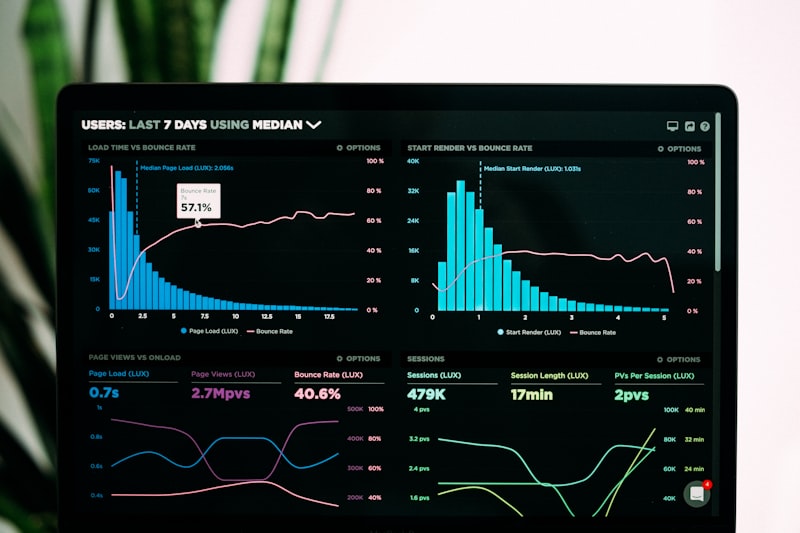 Extract structured data from any format with AI
AI excels at extracting structure from unstructured data:
Invoice processing:
def process_invoice(invoice_text):
    prompt = f"""
    Extract from this invoice:
    - Vendor name
    - Invoice number
    - Date
    - Line items (description, quantity, price)
    - Total amount
    - Due date

    Return as JSON.

    Invoice:
    {invoice_text}
    """
    # Call Claude API and parse response
Customer feedback analysis:
openclaw cron add "feedback-analysis" "0 9 * * 1" \
  "Query our feedback database for entries from the past week.
   Categorize by topic (feature request, bug report, praise, complaint).
   Identify the top 3 themes.
   Suggest any urgent issues needing immediate attention."
Form response processing:
Using Zapier:
- Trigger: New form submission
- Action: Claude → Extract structured data
- Action: Airtable → Create record
- Action: Slack → Notify relevant team
Building Reliable Workflows
 Build safeguards into your automation workflows
AI automation can fail. Build in safeguards:
Error handling:
- Set up notifications for failed runs
- Implement retry logic for API failures
- Have fallback paths for ambiguous cases
Quality checks:
- For important outputs, route through human review
- Set confidence thresholds for automatic actions
- Log all AI decisions for auditing
Iteration:
- Start with one workflow, run it for a week
- Review outputs and refine prompts
- Add complexity gradually
Example with safeguards:
openclaw cron add "email-reply-drafts" "0 */2 * * *" \
  "Check for unread emails needing replies.
   Draft responses for routine inquiries only.
   For anything complex, flag for my review instead.
   Never send automatically—always save as drafts.
   If uncertain about anything, add a note explaining why."
The AI handles what it can, escalates what it can't, and never takes irreversible actions without approval.
OpenClaw Automation Patterns
 Powerful automation primitives built into OpenClaw
OpenClaw provides powerful automation primitives:
Cron jobs - Schedule recurring tasks:
openclaw cron add "standup" "0 9 * * 1-5" "What should I focus on today?"

openclaw cron add "week-prep" "0 18 * * 0" "Help me plan next week"

openclaw cron add "monthly-review" "0 10 1 * *" "Monthly metrics review"
Heartbeats - Periodic check-ins:
Every heartbeat, check:
- Unread important emails?
- Calendar conflicts in next 24h?
- Any stale tasks in my todo list?
- Weather changes affecting my plans?

If something needs attention, alert me.
Otherwise, HEARTBEAT_OK
Memory + automation - Context-aware workflows:
openclaw cron add "project-checkin" "0 14 * * *" \
  "Review my current projects from memory.
   Check git status for any uncommitted work.
   Remind me of any approaching deadlines.
   Suggest what to work on this afternoon."
Conclusion
Your automated AI workflows are ready to run
AI automation isn't about replacing human judgment—it's about handling the repetitive parts so you can apply your judgment where it matters most.
Start with one workflow this week. Email summarization is a great first choice—high impact, low risk. Once you see the time savings, you'll find dozens more tasks worth automating.
Key principles:
- Automate repetitive, not critical
- Build in safeguards and human review
- Start simple, iterate based on results
- Let AI draft, not decide
Next steps:
- Set up OpenClaw cron jobs for personal automation
- Try Claude API for custom workflows
- Explore MCP for advanced integrations
The hours you spend setting up automation pay back many times over. Start today.
FAQ
 Common questions about AI workflow automation
How much can I actually automate?
Start with 1-2 hours of daily repetitive work. Email handling, research summaries, and report generation are usually quick wins. Over time, you'll find more opportunities.
What's the cost of running AI automations?
Depends on complexity. Email summaries might cost $1-5/month in API calls. Heavy research workflows could be $20-50/month. OpenClaw itself is free; you pay for the AI provider.
Can AI automations make mistakes?
Yes. That's why you never automate actions without review for anything important. Draft emails, don't send. Suggest decisions, don't make them. Over time, you'll learn what your AI handles well.
Should I use Zapier or build custom?
Zapier for simple, predefined workflows. Custom for anything requiring complex logic, multiple steps, or tight integration with your systems. Many people use both.
How do I get started if I'm non-technical?
Start with Zapier's AI actions. They're visual and don't require coding. Once comfortable, explore OpenClaw for more powerful personal automation.
More Articles
The Ultimate OpenClaw AWS Setup Guide

The definitive guide to setting up OpenClaw on AWS. Includes spot instance configuration, cost optimization, and step-by-step instructions.
Building AI Workflows with Tool Chaining in OpenClaw
Master the art of chaining tools and function calls to build powerful multi-step AI automation workflows—from data extraction to content generation and deployment.
Cost Optimization Guide for Self-Hosted AI Assistants: Run Claude on a Budget
Practical strategies to reduce API costs for self-hosted AI assistants—smart model routing, caching, batching, and OpenClaw-specific optimizations to run Claude affordably.